
 Audio
Audio Development Board
 Electronic Components
 LED LIGHT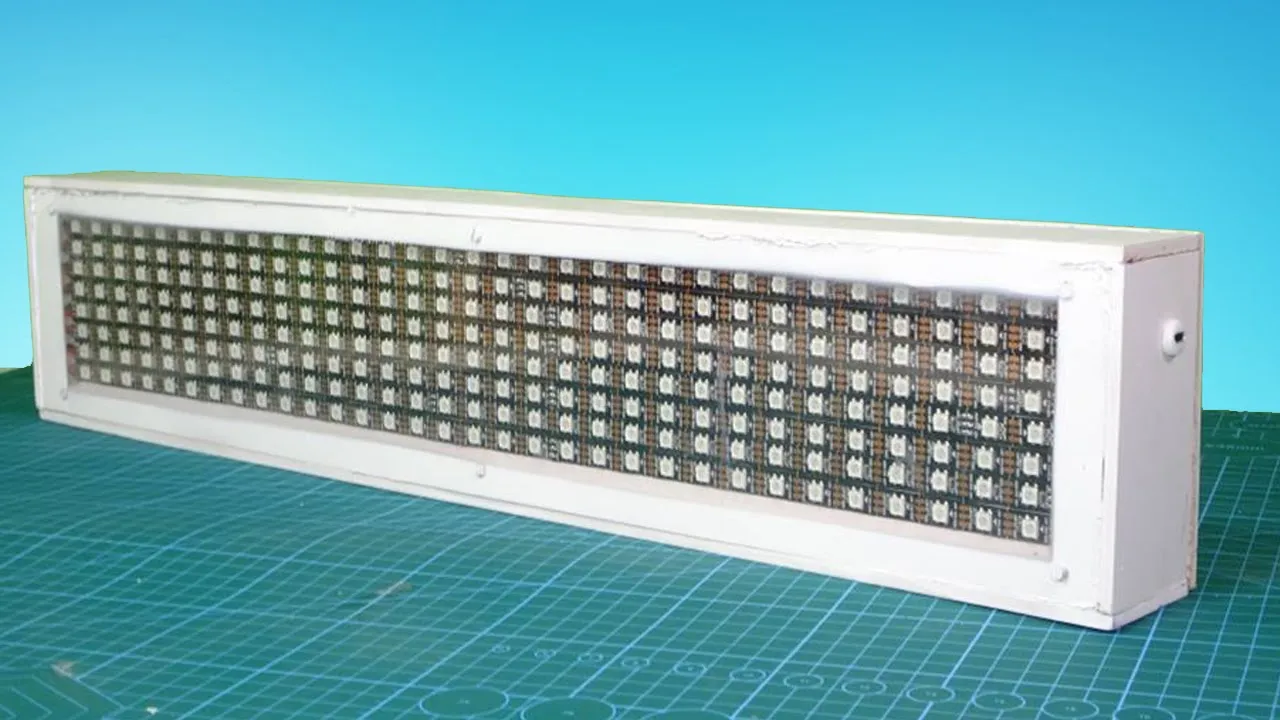
How To Make Bluetooth Control RGB Scrolling Text Display
Hello friends, this is Bluetooth control RGB LED scrolling display.
Connection Diagram :

Code:
RGB_LED_Matrix
#include <SoftwareSerial.h>
#include "Arduino.h"
#include <Wire.h>//Include libraries: SoftwareSerial & Wire
SoftwareSerial ESP_BT(0,1); //Define PIN11 & PIN12 as RX and TX pins

#include <Adafruit_GFX.h>
#include <Adafruit_NeoMatrix.h>
#include <Adafruit_NeoPixel.h>
#include <EEPROM.h>

#ifndef PSTR
 #define PSTR // Make Arduino Due happy
#endif

#define PIN 5

// MATRIX DECLARATION:
// Parameter 1 = width of NeoPixel matrix
// Parameter 2 = height of matrix
// Parameter 3 = pin number (most are valid)
// Parameter 4 = matrix layout flags, add together as needed:
//   NEO_MATRIX_TOP, NEO_MATRIX_BOTTOM, NEO_MATRIX_LEFT, NEO_MATRIX_RIGHT:
//     Position of the FIRST LED in the matrix; pick two, e.g.
//     NEO_MATRIX_TOP + NEO_MATRIX_LEFT for the top-left corner.
//   NEO_MATRIX_ROWS, NEO_MATRIX_COLUMNS: LEDs are arranged in horizontal
//     rows or in vertical columns, respectively; pick one or the other.
//   NEO_MATRIX_PROGRESSIVE, NEO_MATRIX_ZIGZAG: all rows/columns proceed
//     in the same order, or alternate lines reverse direction; pick one.
//   See example below for these values in action.
// Parameter 5 = pixel type flags, add together as needed:
//   NEO_KHZ800  800 KHz bitstream (most NeoPixel products w/WS2812 LEDs)
//   NEO_KHZ400  400 KHz (classic 'v1' (not v2) FLORA pixels, WS2811 drivers)
//   NEO_GRB     Pixels are wired for GRB bitstream (most NeoPixel products)
//   NEO_GRBW    Pixels are wired for GRBW bitstream (RGB+W NeoPixel products)
//   NEO_RGB     Pixels are wired for RGB bitstream (v1 FLORA pixels, not v2)


// Example for NeoPixel Shield.  In this application we'd like to use it
// as a 5x8 tall matrix, with the USB port positioned at the top of the
// Arduino.  When held that way, the first pixel is at the top right, and
// lines are arranged in columns, progressive order.  The shield uses
// 800 KHz (v2) pixels that expect GRB color data.
Adafruit_NeoMatrix matrix = Adafruit_NeoMatrix(
  32,                                              //Select LEDs of each row (15 in my case)
  8,                                               //Select amount of rows (7 in my case)
  PIN,
  NEO_MATRIX_BOTTOM + NEO_MATRIX_RIGHT +           //Define first data pin (right bottom corner is my first pin)
  NEO_MATRIX_ROWS + NEO_MATRIX_ZIGZAG,             //Define the type of connection (in a zig zag connections and divided by rows not columns)
  NEO_RGB            + NEO_KHZ800);


  int Red=255,Green=0,Blue=0;
  String text="Easy Tech";
  String RGB;
  int pixelPerChar = 5,RGB_Completed=0;
  int Delay, Brightness;
const uint16_t colors[] = {matrix.Color(Green,Red,Blue)};

//  matrix.Color(255, 0, 0), matrix.Color(0, 255, 0), matrix.Color(0, 0, 255) };//matrix.Color(Red, Green, Blue),


void setup() {

  Serial.begin(115200);
  ESP_BT.begin(9600);
  EEPROM.begin();
 initdata();
 // Serial.println("Start");
  const uint16_t colors[] = {matrix.Color(Green,Red,Blue)};
  matrix.begin();
  matrix.setTextWrap(false);
  matrix.setBrightness(Brightness);
  matrix.setTextColor(colors[0]);
 //matrix.setTextColor(matrix.Color(Green,Red,Blue));
}

int x    = matrix.width();
int pass = 0;

void loop() {


  while(ESP_BT.available()){
    char ReadChar = (char)ESP_BT.read();
     Serial.println(ReadChar);

    // Right parentheses ) indicates complet of the string
    if(ReadChar == ')' ||ReadChar == '}' || ReadChar == ']'){
      if(ReadChar == ')' ){
      RGB_Completed = 1;
       }
      if(ReadChar == '}'){
       RGB_Completed = 2;
      }
      if(ReadChar == ']'){
       RGB_Completed = 3;
      }
    }
    else{
       RGB += ReadChar;
    }


  }
  if(RGB_Completed!=0){
      if(RGB_Completed==1){
             Light_RGB_LED();
             RGB_Completed=0;
         }
      if (RGB_Completed==2){
          text=RGB;
           int _size = text.length();
            int i;
          for(i=0;i<_size;i++)
         {
       EEPROM.write(50+i,text.charAt(i));
       Serial.println(text.charAt(i));
           }
      EEPROM.write(50+_size,'\0');   //Add termination null character for String Data

           RGB_Completed=0;
           RGB="";
        }
      if (RGB_Completed==3){
        int val=RGB.toInt();
        if(val>0 && val<=100){
          if(val==0){
            val=1;
          }
          Delay=(100-val)*2.5;
          //scroll(Delay);
          EEPROM.write(0,Delay);
        }
        else{
          val=val-100;
          matrix.setBrightness(val);
          EEPROM.write(5,val);
        }

        RGB="";
        RGB_Completed=0;
      }
    }

   if(RGB_Completed==0){
  //.  Serial.println(RGB_Completed);
    scroll();
  }

}

void scroll(){
  //Serial.println(text);
  int  maxDisplacement = text.length() * pixelPerChar + matrix.width();
  matrix.fillScreen(0);
  matrix.setCursor(x, 0);

  matrix.print(text);
  if(--x < -maxDisplacement) {
    x = matrix.width();

    if(++pass >= 1){ pass = 0;
   // matrix.setTextColor(colors[pass]);
     matrix.setTextColor(matrix.Color(Green,Red,Blue));
    //  matrix.setTextColor(matrix.Color(Red,Green,Blue));
    }
  }

  matrix.show();
  delay(Delay);

}


void Light_RGB_LED(){

  int SP1 = RGB.indexOf('.');
  int SP2 = RGB.indexOf('.', SP1+1);
  int SP3 = RGB.indexOf('.', SP2+1);
  String R = RGB.substring(0, SP1);
  String G = RGB.substring(SP1+1, SP2);
  String B = RGB.substring(SP2+1, SP3);
  Red=R.toInt();Green=G.toInt();Blue=B.toInt();
// Serial.println(R);
 matrix.setTextColor(matrix.Color(Green,Red,Blue));
  EEPROM.write(10,Red);EEPROM.write(15,Green);EEPROM.write(20,Blue);
 RGB="";

}
Function:
void initdata(){

     int Speed=EEPROM.read(0);
     if(Speed==NULL || Speed==0){
      Delay=100;
       }
       else{
        Delay=Speed;
       }

    int bright=  EEPROM.read(5);
     if(bright==NULL || bright==0){
      Brightness=40;
       }
       else{
        Brightness=bright;
       }

    int r=  EEPROM.read(10);
     if(r==NULL){
        Red=0;
       }
       else{
        Red=r;
       }

    int g=  EEPROM.read(15);
     if(g==NULL){
        Green=255;
       }
       else{
        Green=g;
       }

   int b=  EEPROM.read(20);
     if(b==NULL){
        Blue=0;
       }
       else{
        Blue=b;
       }
  char data[100]; //Max 100 Bytes
   int len=0;
    char k;
   String Text= "";
  k=EEPROM.read(50);
  while(k != '\0' && len<500)   //Read until null character
  {
    k=EEPROM.read(50+len);
    data[len]=k;
    Text+=k;
    len++;
  }
  data[len]='\0';

     if(Text==NULL){
        text="EASY TECH";
       }
       else{
        text=Text;
       }
Serial.println(Speed);
Serial.println(Brightness);
Serial.println(Red);
Serial.println(Green);
Serial.println(Blue);
Serial.println(text);

  }

What app are you using to control your display? IOS/Android?
https://play.google.com/store/apps/details?id=com.easy.tech.leddisplay
nice artilce , thank you . keep it up
nice artilce , thank you . keep it up
Muy buenas noches, me presento mi nombre es Dumar,
Muchas gracias por el proyecto que ha realizado
Lo que sucede es que estamos realizando una matriz de 32 x 16 con el modulo Bluetooth, aplicando su codigo que implemento, queríamos pedir el favor de que si nos pudiera ayudar, ya que llegamos a un punto de no poder configurar.
Se los agradecemos de antemano.
\filepro.ino:4:16: warning: NULL used in arithmetic [-Wpointer-arith]
if(Speed==NULL || Speed==0){
^~~~
\filepro.ino:12:17: warning: NULL used in arithmetic [-Wpointer-arith]
if(bright==NULL || bright==0){
^~~~
\filepro.ino:20:12: warning: NULL used in arithmetic [-Wpointer-arith]
if(r==NULL){
^~~~
\filepro.ino:28:12: warning: NULL used in arithmetic [-Wpointer-arith]
if(g==NULL){
^~~~
\filepro.ino:36:12: warning: NULL used in arithmetic [-Wpointer-arith]
if(b==NULL){
^~~~
I am using Nano IOT 33. On uploading the code, I get errors related to SoftwareSerial.h, Wire.h, EEprom.h. I searched online and found errors are due to SAMD architecture of Nano instead of AVR. Can you explain which Nano did you use?