
 Audio
Audio Development Board
 Electronic Components
 LED LIGHT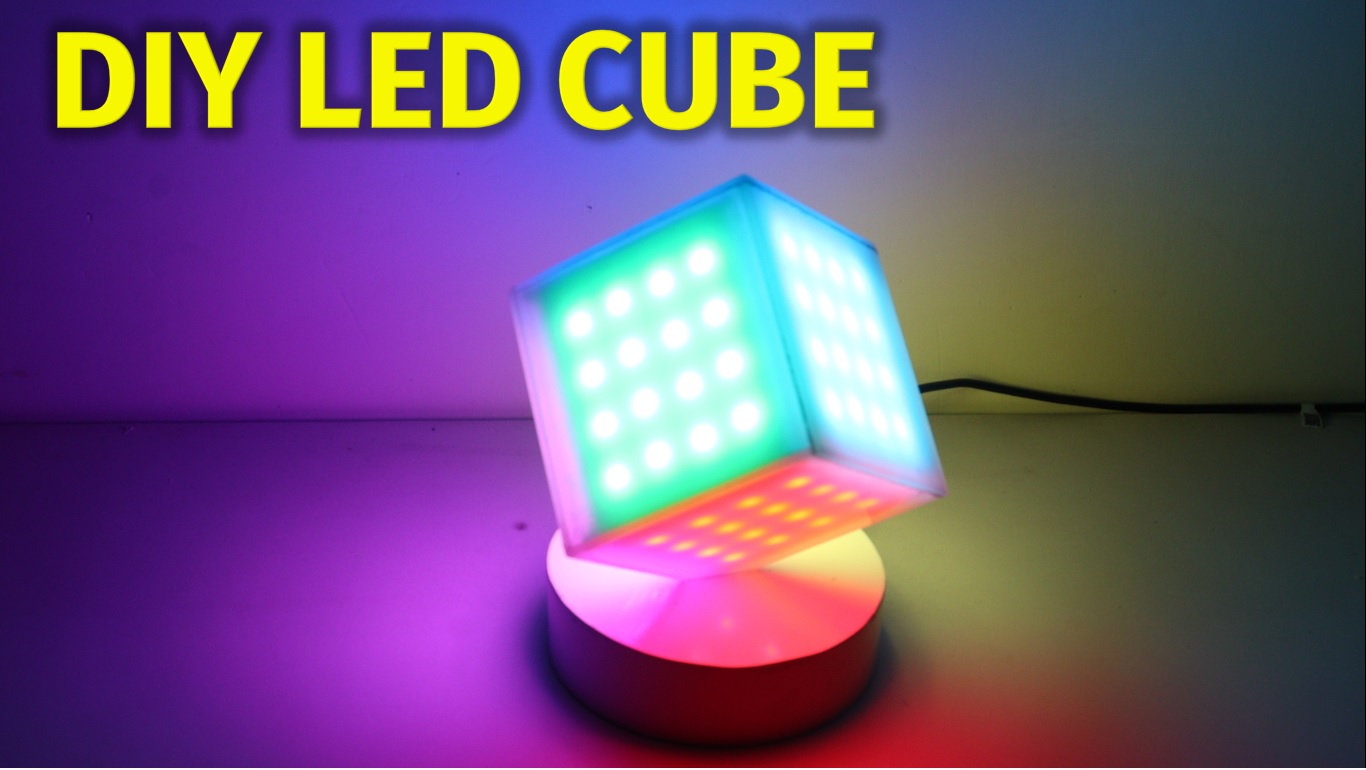
Amazing and Super Cool DIY RGB LED Cube
Hello friends, this is very cool project using RGB LED strip and glue stick. New look RGB light will provide you good look on your table. In this projects I used WS2812 addressable RGB LED, so it is very simple to handle Colors on this light.
Diagram :


Components:
1) ws2812B led strip 60led/m : https://roboman.in/qtch
2) ws2812B led strip 30led/m : https://roboman.in/6r9a
3) TP-4056 Module : https://roboman.in/oa0m
4) Arduino Nano: https://roboman.in/59h4
5) Arduino Nano Type C : https://roboman.in/xkfu
6) Sound Sensor : Sound Sensor :https://roboman.in/vs1e
7) 18650 Lithium Battery 2500mah 3C :https://roboman.in/utwc
8) 18650 Lithium Battery 2600mah 3C :https://roboman.in/mmab
9) 18650 Lithium Battery 2200mah 1C :https://roboman.in/70b5
10) 18650 Lithium Battery 2000mah 1C :https://roboman.in/7em9
11) 18650 Lithium Battery 1800mah 1C :https://roboman.in/ywss
Code:
#include <Adafruit_NeoPixel.h>
#ifdef __AVR__
  #include <avr/power.h>
#endif

/* Maxtrix Cube
  *
 *
 *                              00 01 02 03
 *                              07 06 05 04
 *                              08 09 0A 0B
 *                              0F 0E 0D 0C
 *                              ------------
 *  30 31 32 33 | 40 41 42 43 | 10 11 12 13 | 20 21 22 23
 *  37 36 35 34 | 47 46 45 44 | 17 16 15 14 | 27 26 25 24
 *  38 39 3A 3B | 48 49 4A 4B | 18 19 1A 1B | 28 29 2A 2B
 *  3F 3E 3D 3C | 4F 4E 4D 4C | 1F 1E 1D 1C | 2F 2E 2D 2C
 *                -----------
 *                50 51 52 53
 *                57 56 55 54
 *                58 59 5A 5B
 *                5F 5E 5D 5C
 */

#define WS2812_PIN 3
#define LED_PIN 4
#define POWER_PIN 2

#define PIXELS 96
#define BRIGHTNESS 100

uint8_t faces[PIXELS];
uint32_t pallete[6];

Adafruit_NeoPixel strip = Adafruit_NeoPixel(PIXELS, WS2812_PIN, NEO_GRB + NEO_KHZ800);

void(* resetFunc) (void) = 0; //declare reset function @ address 0

void setup()
{
  //First switch on power
  pinMode(POWER_PIN, OUTPUT);
  pinMode(LED_PIN, OUTPUT);
  digitalWrite(POWER_PIN, HIGH);    //Overrides Mercury switch
  digitalWrite(LED_PIN, HIGH);      //Show power is on

  strip.begin();
  strip.setBrightness(BRIGHTNESS);
  strip.show(); // Initialize all pixels to 'off'

  //Set up palette
  pallete[0] = strip.Color(255,0,0);
  pallete[1] = strip.Color(255,255,0);
  pallete[2] = strip.Color(0,255,0);
  pallete[3] = strip.Color(0,255,255);
  pallete[4] = strip.Color(0,0,255);
  pallete[5] = strip.Color(255,0,255);
}

void loop()
{
  strip.clear();

  //colorWipe(strip.Color(255, 255, 255), 50); // white
  //delay(1000);

  colorSides(36, 300);
  rainbow2(20);
  rainbow(20);
  rainbowCycle(20);
  strip.clear();
  strip.show();
  delay(500);

  //Power off
  digitalWrite(POWER_PIN, LOW);

  delay(1000);
  resetFunc();  //call reset
}

//Rotate each side with a primary or secondary color
void colorSides(int changes, int wait)
{
  strip.clear();
  for (int j = 0; j < changes; j++)
  {
    for(int s = 0; s < 6; s++)
    {
      for(int i = 0; i < 16; i++)
      {
        int p = (((s + j) % 6) * 16) + i;
        strip.setPixelColor(p, pallete[s]);
      }
      strip.show();
    }
    delay(wait);
  }
}

// Fill the dots one after the other with a color
void colorWipe(uint32_t c, uint8_t wait)
{
  for(int i = 0; i < strip.numPixels(); i++)
  {
    strip.setPixelColor(i, c);
    strip.show();
    delay(wait);
  }
}

//Display rainbow on all sides
void rainbow(uint8_t wait)
{
  strip.clear();
  for (int k = 0; k < 5; k++)
  {
    for(int j = 0; j < 256; j++)
    {
      for (int s = 0; s < 6; s++) //Do for each side
      {
        int b = s * 16;
        uint32_t c = Wheel((b + j) & 255);
        for(int i = 0; i < 16; i++)
        {
          strip.setPixelColor(b + i, c);
        }
      }
      strip.show();
      delay(wait);
    }
  }
}

//Display rainbow on all sides
void rainbow2(uint8_t wait)
{
  strip.clear();
  for (int k = 0; k < 5; k++)
  {
    for(int j = 0; j < 255; j++)
    {
      uint32_t c = Wheel(j);
      for(int i = 0; i < strip.numPixels(); i++)
      {
        strip.setPixelColor(i, c);
      }
      strip.show();
      delay(wait);
    }
  }
}

// Slightly different, this makes the rainbow equally distributed throughout
void rainbowCycle(uint8_t wait)
{
  strip.clear();
  for(int j = 0; j < 256*5; j++) // 5 cycles of all colors on wheel
  {
    for (int s = 0; s < 6; s++) //Do for each side
    {
      for(int i = 0; i < 16; i++)
      {
        int p = i + s * 16;
        strip.setPixelColor(p, Wheel(((p * 256 / strip.numPixels()) + j) & 255));
      }
    }
    strip.show();
    delay(wait);
  }
}

// Input a value 0 to 255 to get a color value.
// The colours are a transition r - g - b - back to r.
uint32_t Wheel(byte WheelPos)
{
  WheelPos = 255 - WheelPos;
  if(WheelPos < 85)
  {
    return strip.Color(255 - WheelPos * 3, 0, WheelPos * 3);
  }
  if(WheelPos < 170)
  {
    WheelPos -= 85;
    return strip.Color(0, WheelPos * 3, 255 - WheelPos * 3);
  }
  WheelPos -= 170;
  return strip.Color(WheelPos * 3, 255 - WheelPos * 3, 0);
}
